
A local business website structure has five groups of pages, and each one does a different job. This guide takes the whole site apart, page by page and section by section, using a real cleaning company site as the example.
Updated October 2026 · Based on a review of 25 Ontario local business websites by The Ant Firm
Quick Answer
A local service business needs five groups of pages: a home page, one service page for each service, a location page for each area it truly serves, trust pages (about, reviews, licences), and conversion pages (contact or quote form, thank you page).
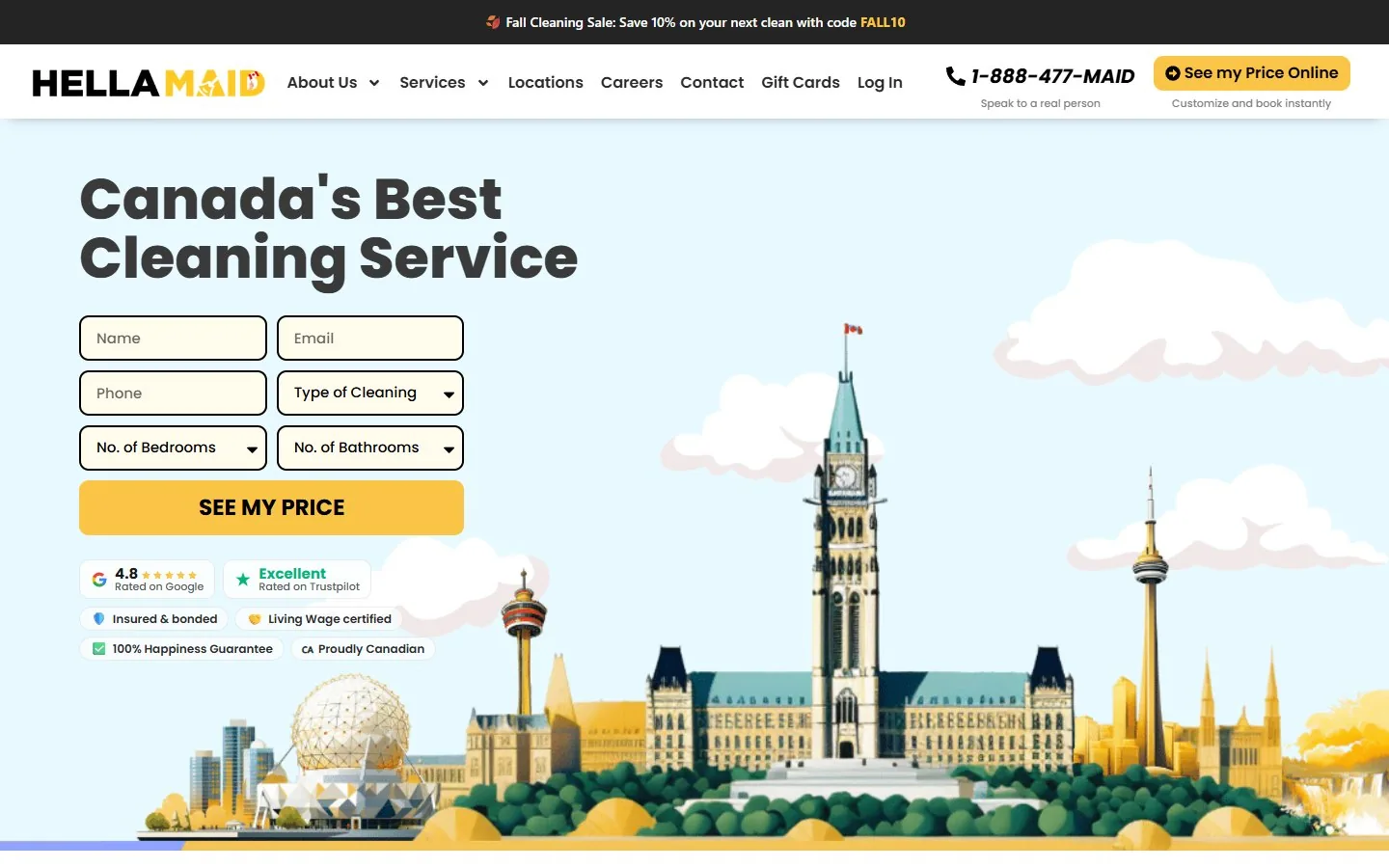
The home page itself works best with 6 to 9 sections in this order: header with phone or quote button, hero that names the service and the area, trust strip, services, how it works, reviews, service areas, FAQ, and a final call to action with a short form.
The Ant Firm reviewed 25 local business websites serving Ontario, across seven trades. The phone number sat in the header on 21 of 25. Reviews were on the home page on 19 of 25. Only 11 of 25 had an FAQ. The sites that were easiest to use were not the biggest ones. They were the ones where every section had one job.
| Part of the site | Its job | Do you need it? |
|---|---|---|
| Home page | Tells a stranger what you do, where, and how to reach you, in about five seconds. | Must have |
| Service pages | One page per service, so Google has a page to show for each thing you sell. | Must have |
| Location pages | Show you really work in a specific city or neighbourhood. | If you serve more than one area |
| Trust pages | About, reviews, licences and past work. They answer “can I let these people into my home?” | Must have |
| Conversion pages | Contact or quote form, booking, thank you page. Where a visitor becomes a lead. | Must have |
| Content | Blog posts, guides and an FAQ page that answer what customers ask before they call. | Add after the rest works |
How is a local service business website structured?
Think of it like a body. The home page is the face. The service pages are the muscles that do the work. The trust pages are the reason someone believes you, and the contact form is the handshake.
Every part links to the next one. The home page links to each service page. Each service page links to related services and to the quote form. Location pages link back to the services offered in that area. Nothing should be a dead end.
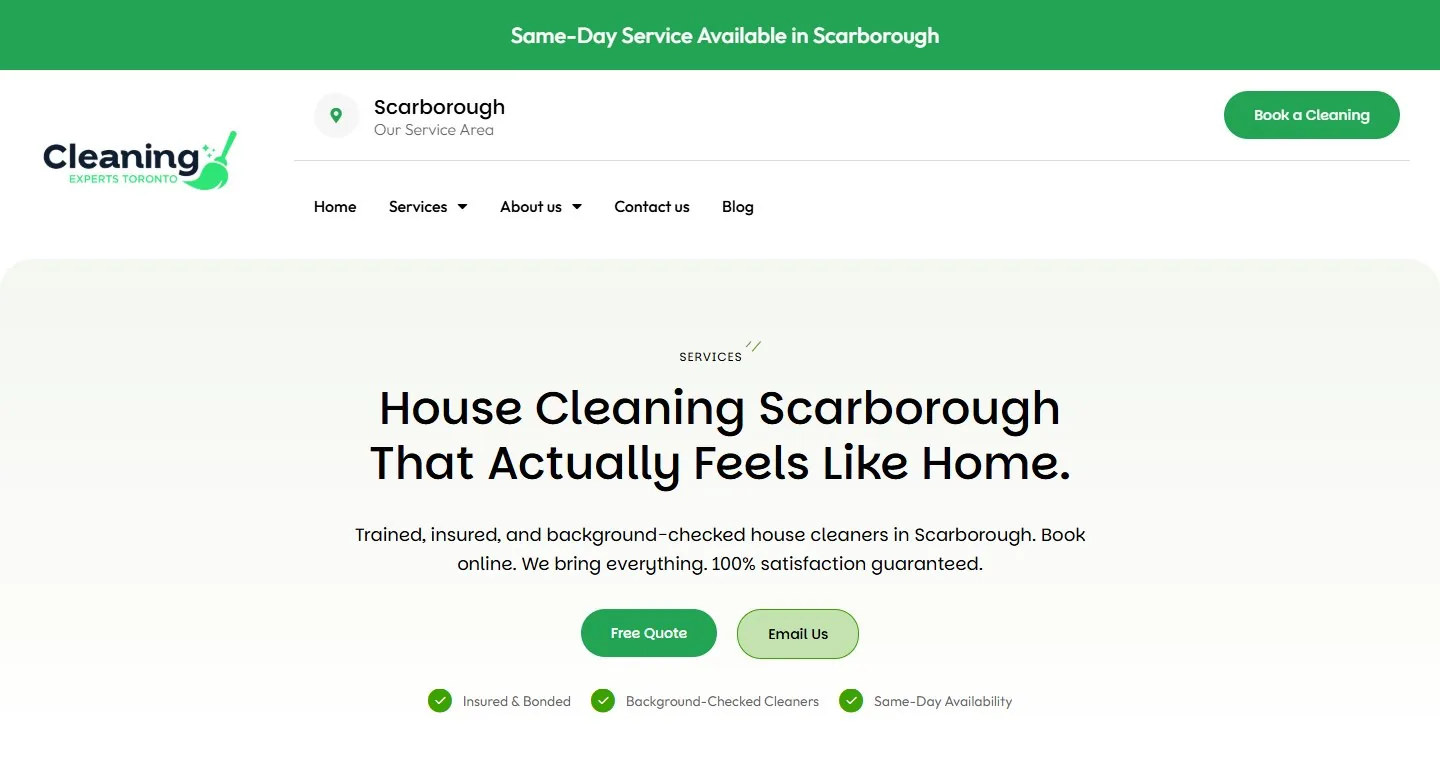
Here is the full map for the example used in this guide, Cleaning Experts Toronto, a Scarborough cleaning company with about 20 pages.
House cleaning
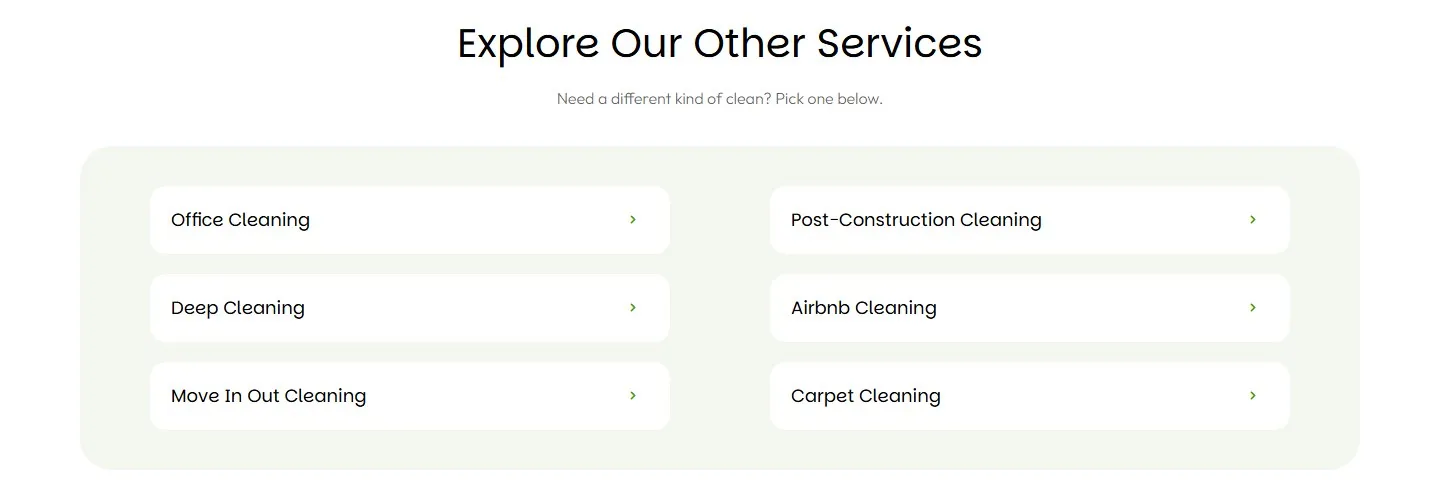
Office cleaning
Deep cleaning
Move in / move out
Post-construction
Airbnb cleaning
Carpet cleaning
Why us
Cleaning process
Customer reviews
FAQ
Contact
Notice what is missing. There is no page for nine other cities. The business serves one area, so it has one location page. That is the honest version of a structure, and it is the one that holds up.
Why structure comes first
In a separate audit of 18 Ontario local businesses, 17 of 18 had every service crammed onto one page, and 18 of 18 had no location-specific pages. When there is no page for a service, there is nothing for Google to show when someone searches for that service. See the full 18-business audit.
What should be on the home page of a local business website?
A local home page needs 6 to 9 sections, read top to bottom, each with one job. The order matters because it is the order a visitor reads in. Here is each part, what it does, and what goes wrong with it.
Top of the page
Top bar
Optional · one thin line
The top bar is a single strip above the menu. It holds one thing a visitor can act on right away.
WHAT GOES IN IT
A tap-to-call phone number, your hours, or one short offer.
WHY A LOCAL BUSINESS NEEDS IT
Someone with a burst pipe is not going to scroll. They want the number first.
WHAT GOES WRONG
It gets crowded. Language pickers, three phone numbers and five social icons all fighting for one line.
Header and menu
Phone in the top bar or header on 21 of 25 sites
The header is the logo, the menu and one button. It follows the visitor to every page.
WHAT GOES IN IT
Logo on the left, 5 to 7 menu items (Services, About, Areas, Reviews, Contact), and one button on the right that says the same thing as the hero button.
WHY A LOCAL BUSINESS NEEDS IT
The button in the header is the shortest path to a lead from any page on the site.
WHAT GOES WRONG
Menus with 15 or more items bury the button. One site in the review had no phone and no quote button in its header at all.
Hero section
The first screen, before any scrolling
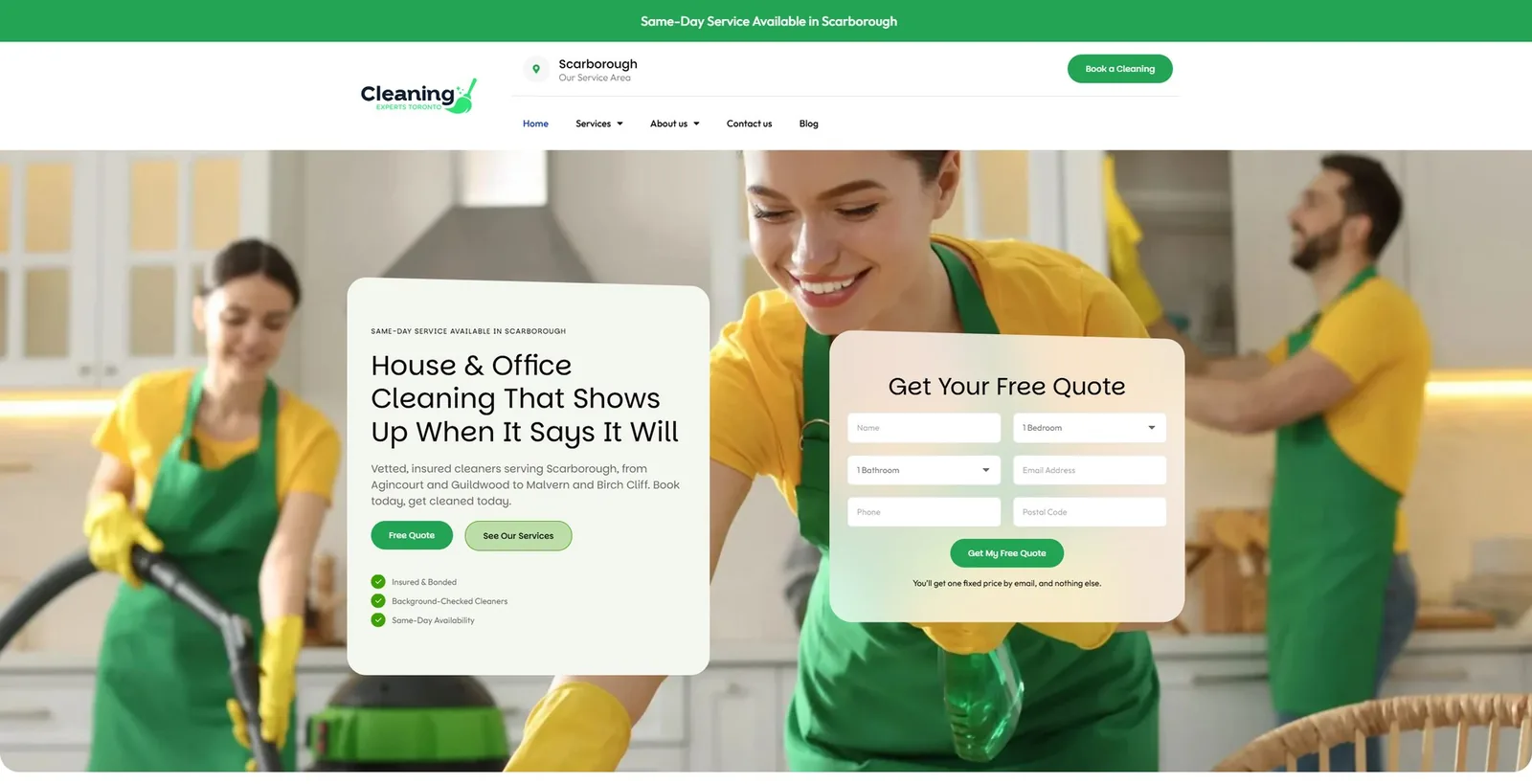
The hero is the first screen a visitor sees. It has to answer three questions without a scroll: what do you do, where, and what do I click?
WHAT GOES IN IT
A headline that names the service and the area in plain words. One line under it with your main promise. Two buttons at most: the main action and a phone or second option. A trust line under the buttons.
WHY A LOCAL BUSINESS NEEDS IT
A stranger and Google both read the headline first. “Dental Clinic in Richmond Hill” tells both of them everything. A slogan tells them nothing.
WHAT GOES WRONG
Headlines with no service and no place. The visitor has to guess what the business does, and most will not bother.
Trust strip
On nearly every trade and renovation site reviewed
The trust strip is one row of proof, right under the hero.
WHAT GOES IN IT
Four to six items: Google rating and review count, licence or WSIB number, years in business, warranty length, one or two badges.
WHY A LOCAL BUSINESS NEEDS IT
In a trade, the licence number is the first thing a nervous homeowner checks.
WHAT GOES WRONG
Claims nobody can check. “Trusted by thousands” with no number and no source.
Middle of the page
Services section
Every site has one. Few link each card to its own page.
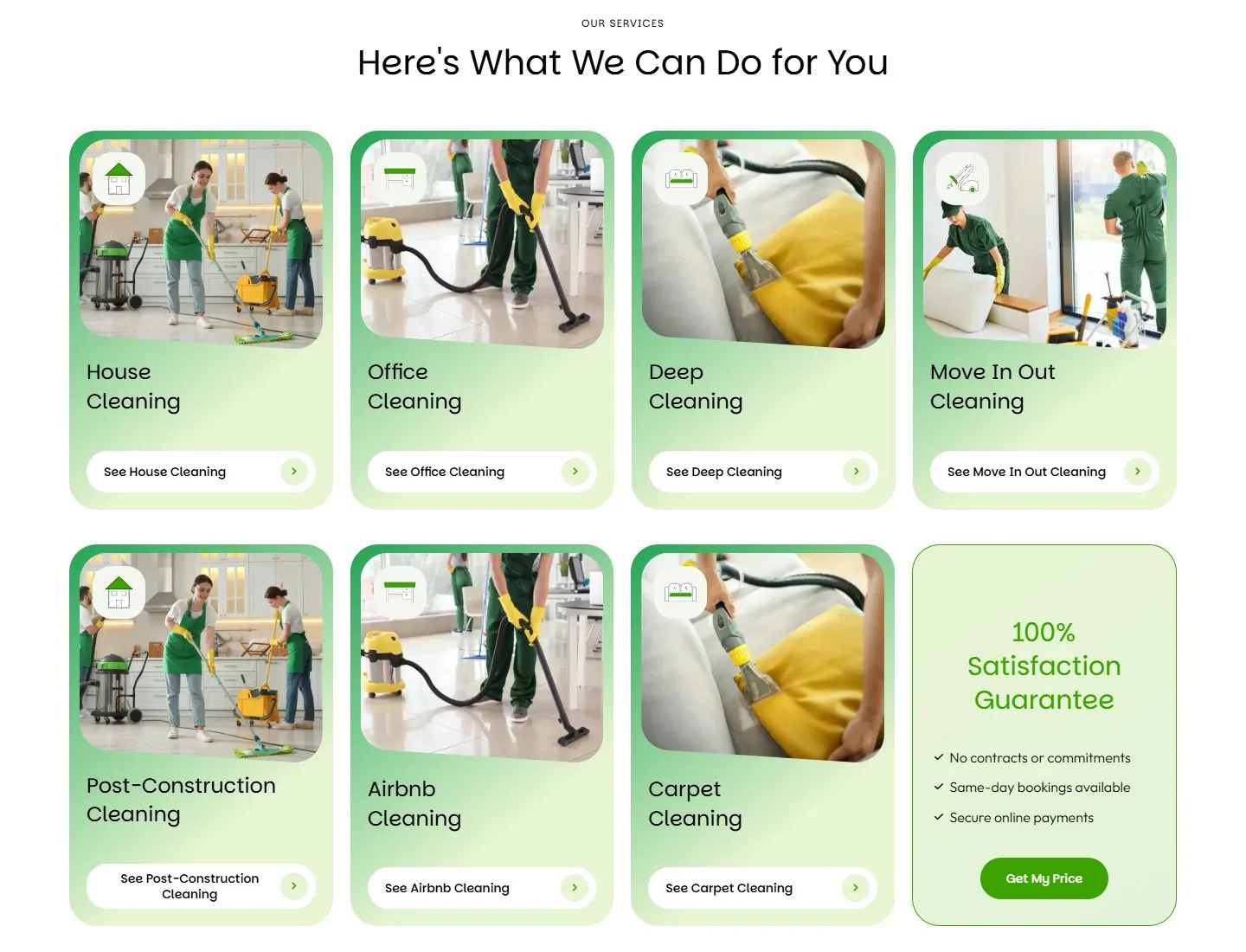
The services section is a set of cards, one per service, and each card links to that service’s own page.
WHAT GOES IN IT
Four to eight cards. A photo, a one-line description and a link on each. Link text that names the service (“House cleaning in Scarborough”) beats “Learn more.”
WHY A LOCAL BUSINESS NEEDS IT
These links are how visitors and Google find your service pages. A starting price on each card also filters out the wrong-fit calls. Superior Reno shows “From $28,000” on its kitchen card and “From $15,000” on its bathroom card.
WHAT GOES WRONG
Grids of 12 to 18 tiles, or the same services listed a second and third time further down the page.
Why choose us
3 to 6 points
This section lists the reasons to pick you, and every reason has to be provable.
WHAT GOES IN IT
Warranty length, your own crew, upfront pricing, response time.
WHY A LOCAL BUSINESS NEEDS IT
It gives the visitor something to compare. Without it, the only thing left to compare is price.
WHAT GOES WRONG
Lines any competitor could paste onto their own site. “Quality work” fails that test. “10-year workmanship warranty” passes it.
How it works
On about 10 of 25 sites, mostly renovation, cleaning and dental
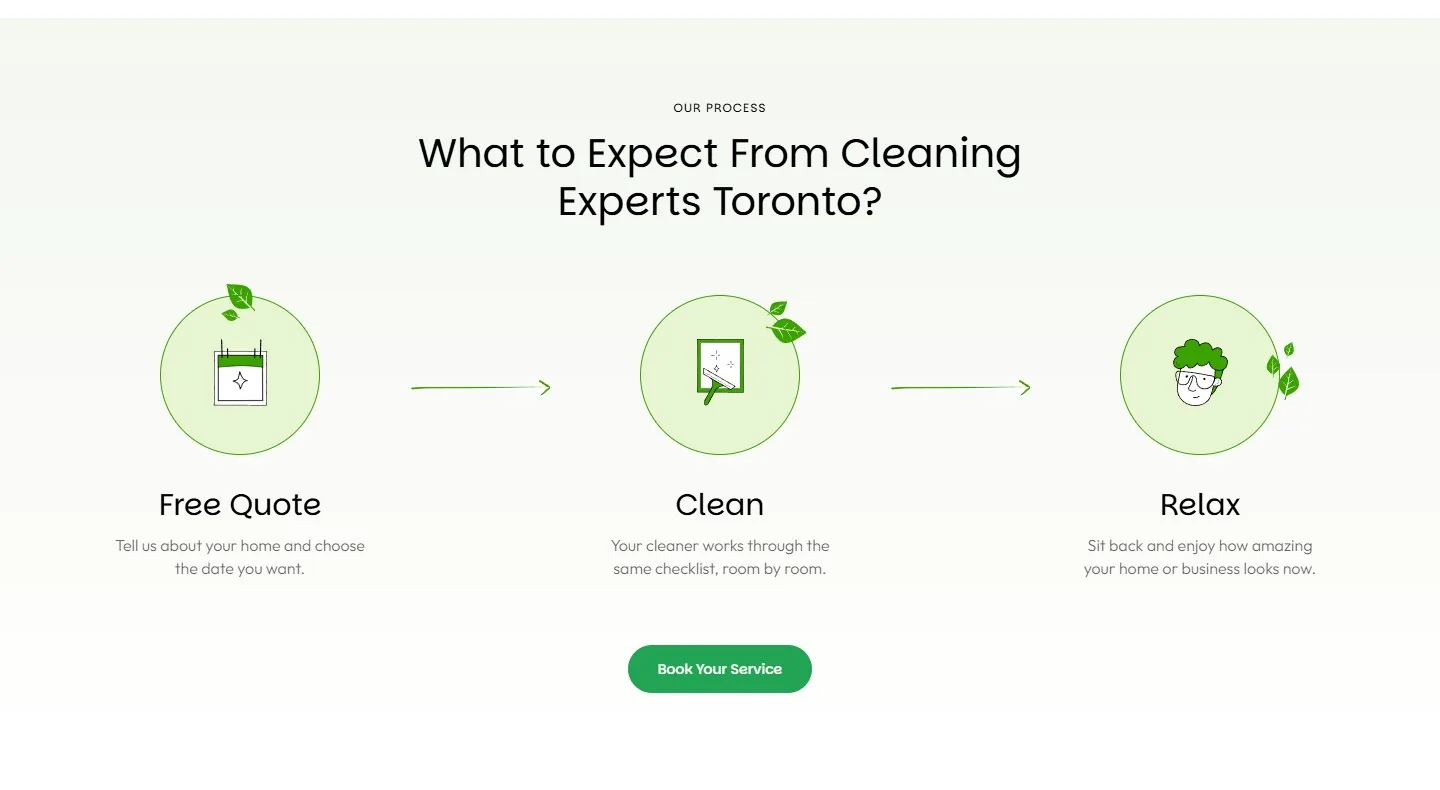
How it works is three or four numbered steps from first contact to finished job.
WHAT GOES IN IT
Call or book, we visit or quote, we do the work, follow-up.
WHY A LOCAL BUSINESS NEEDS IT
It takes the fear out of the first call. People hesitate when they do not know what happens after they click.
WHAT GOES WRONG
Promising “a simple 3-step process” and then only describing step one.
Reviews and work photos
Reviews on 19 of 25 · work photos on about 15 of 25
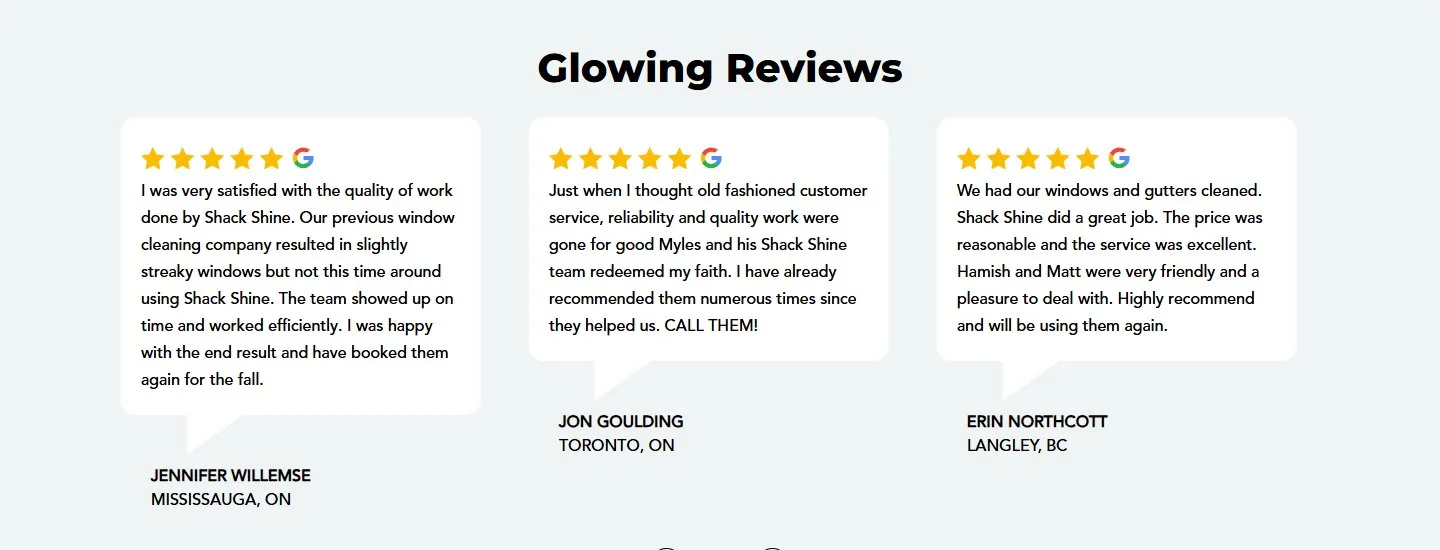
This is the proof section: what past customers said, then what the work looked like.
WHAT GOES IN IT
Three to six real reviews with a first name, the town and the source. Then six to nine photos. Before and after for cleaning, dental and renovation.
WHY A LOCAL BUSINESS NEEDS IT
In the 18-business audit, 16 of 18 had strong Google reviews that never appeared on their own website. The proof existed. Visitors just never saw it.
WHAT GOES WRONG
A “Testimonials” heading with nothing under it, or reviews with no names that read like the owner wrote them.

Owner or about snippet
80 to 120 words
A short block with a real photo of the owner or crew and a link to the full About page.
WHAT GOES IN IT
Who runs the business, since when, and why they started.
WHY A LOCAL BUSINESS NEEDS IT
A local buyer is choosing a person to let into their home. A face answers that faster than a paragraph.
WHAT GOES WRONG
Stock photos of people who do not work there.
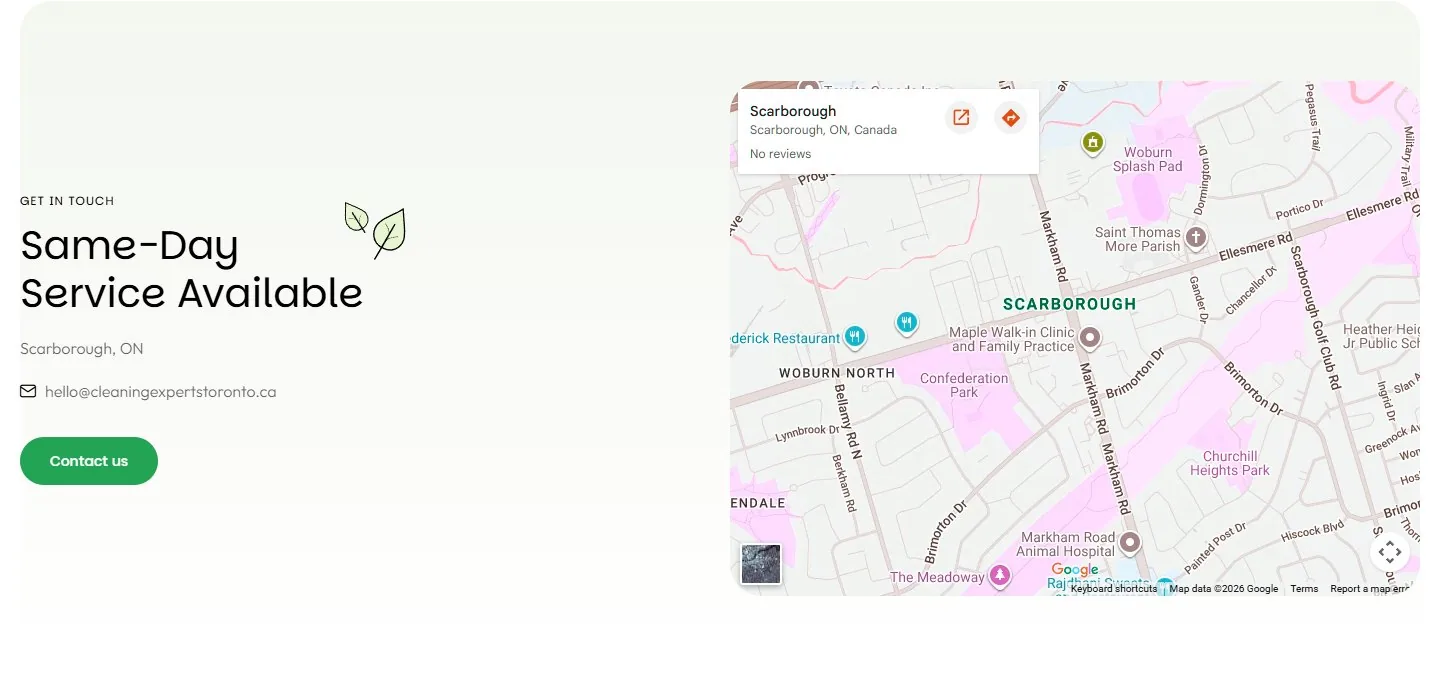
Service areas
On 15 of 25 sites
A compact list of the cities or neighbourhoods you really cover.
WHAT GOES IN IT
The names of the areas. A business with one location can use a map and an address instead.
WHY A LOCAL BUSINESS NEEDS IT
It stops the “do you come out to my area?” call, and it tells Google where you work.
WHAT GOES WRONG
Fifteen city links that all open the same page with the city name swapped. Only link an area if its page is truly its own. Otherwise show the name as plain text.

FAQ
On only 11 of 25 sites
Five or six questions a real customer asks on the phone, each answered in full sentences.
WHAT GOES IN IT
Cost, how long it takes, warranty, insurance, service area, emergencies.
WHY A LOCAL BUSINESS NEEDS IT
Each answer saves a phone call, and full-sentence answers are easy for Google and AI assistants to quote.
WHAT GOES WRONG
One-word answers, or questions nobody has ever asked.
Bottom of the page
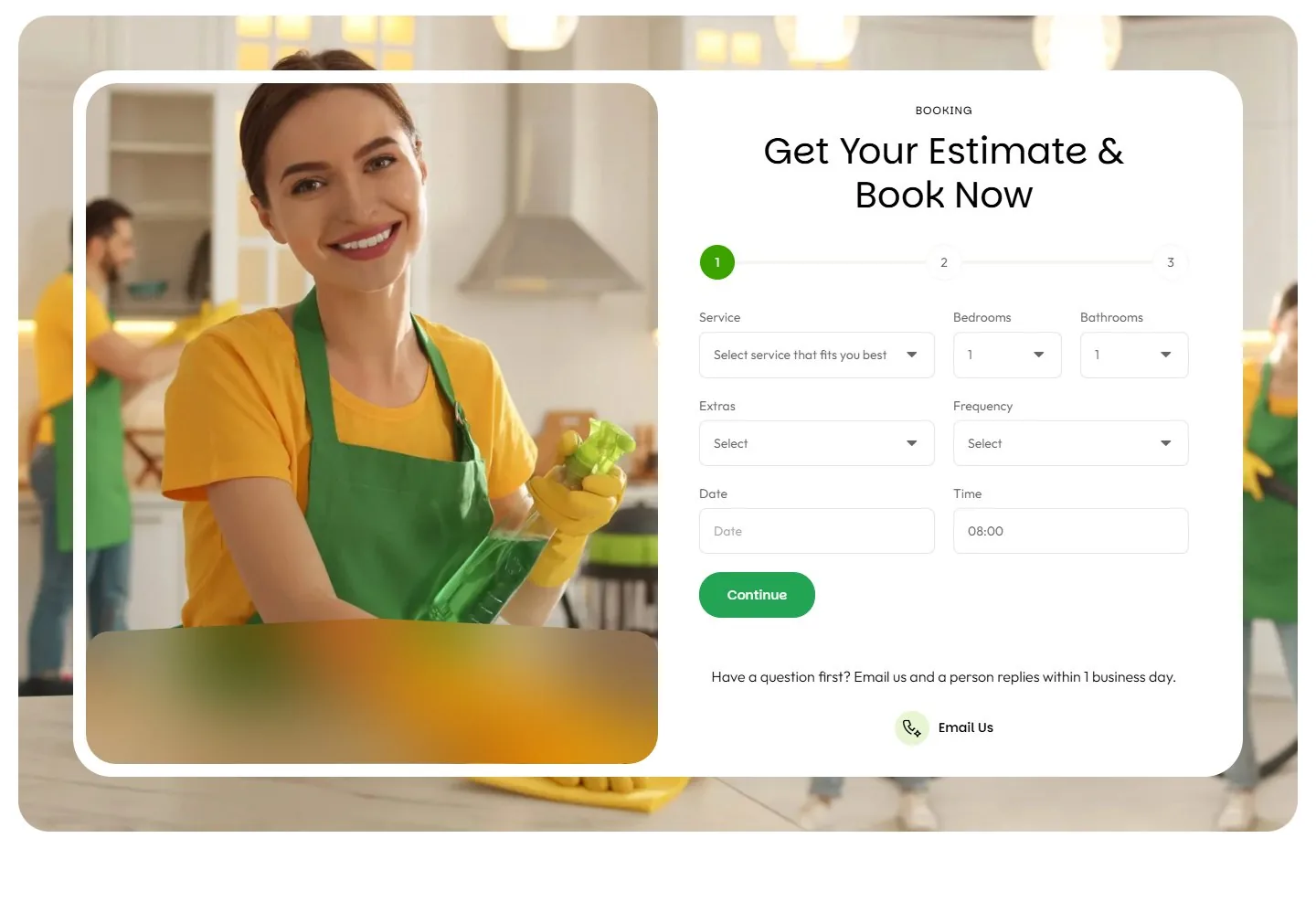
Final call to action and form
A form on the home page on about 15 of 25 sites
The page ends by repeating the main button, next to a short form.
WHAT GOES IN IT
Four or five fields: name, phone, email, service, message. One line saying how fast you reply.
WHY A LOCAL BUSINESS NEEDS IT
A visitor who read all the way down is ready. If there is nothing to click, they leave.
WHAT GOES WRONG
The same form shown two or three times on one page.
Footer
On every page of the site
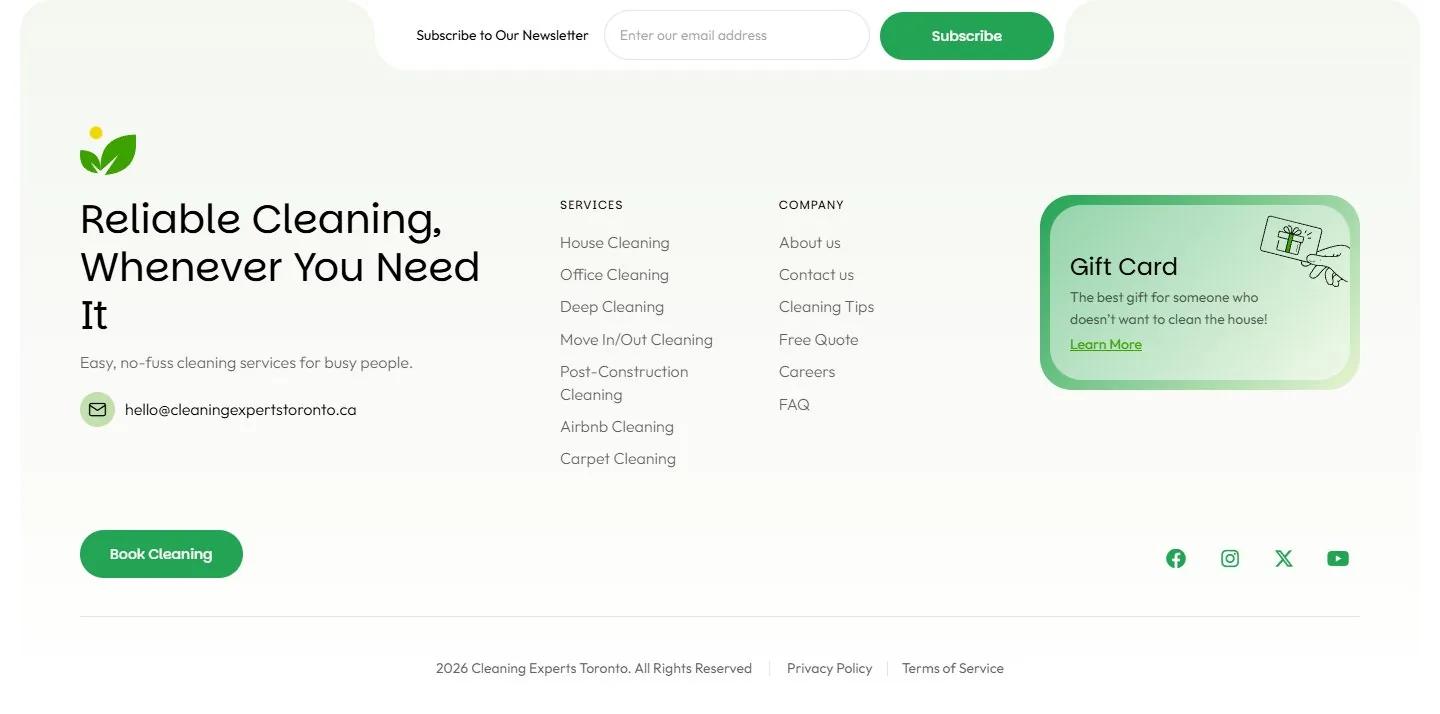
The footer holds your business details and your most important links.
WHAT GOES IN IT
Name, address, phone, email and hours, spelled the same way as on your Google Business Profile. Links to your top services and areas. Licence numbers. Privacy and terms.
WHY A LOCAL BUSINESS NEEDS IT
It is the one place a visitor always knows to look for your contact details.
WHAT GOES WRONG
Stale details. The review found a 2023 copyright year on a 2026 site, a footer phone number one digit off from the header, and a COVID notice still up.
Does the home page change by type of business?
Yes. The parts stay the same, but the order and the main button change with what the visitor wants. A person with a flooded basement and a person planning a kitchen renovation are not in the same mood.
| Type of business | What the visitor wants | Main button | What sits high on the page | Block to add |
|---|---|---|---|---|
| Urgent repair Plumbing, HVAC, drains | A number to call, right now | Call Now | 24/7 number in the top bar, licence and insurance | Emergency response: how fast you arrive and who answers |
| Big project Renovation, roofing | Someone to trust with thousands of dollars | Get a Free Quote | Featured projects right after services, then the process | How your quotes work, and one clear warranty number |
| Appointment Dental, clinics | A person and a place they will come back to | Book an Appointment | Meet the dentists, your first visit in 4 steps | Insurance and direct billing, plus location, hours and parking |
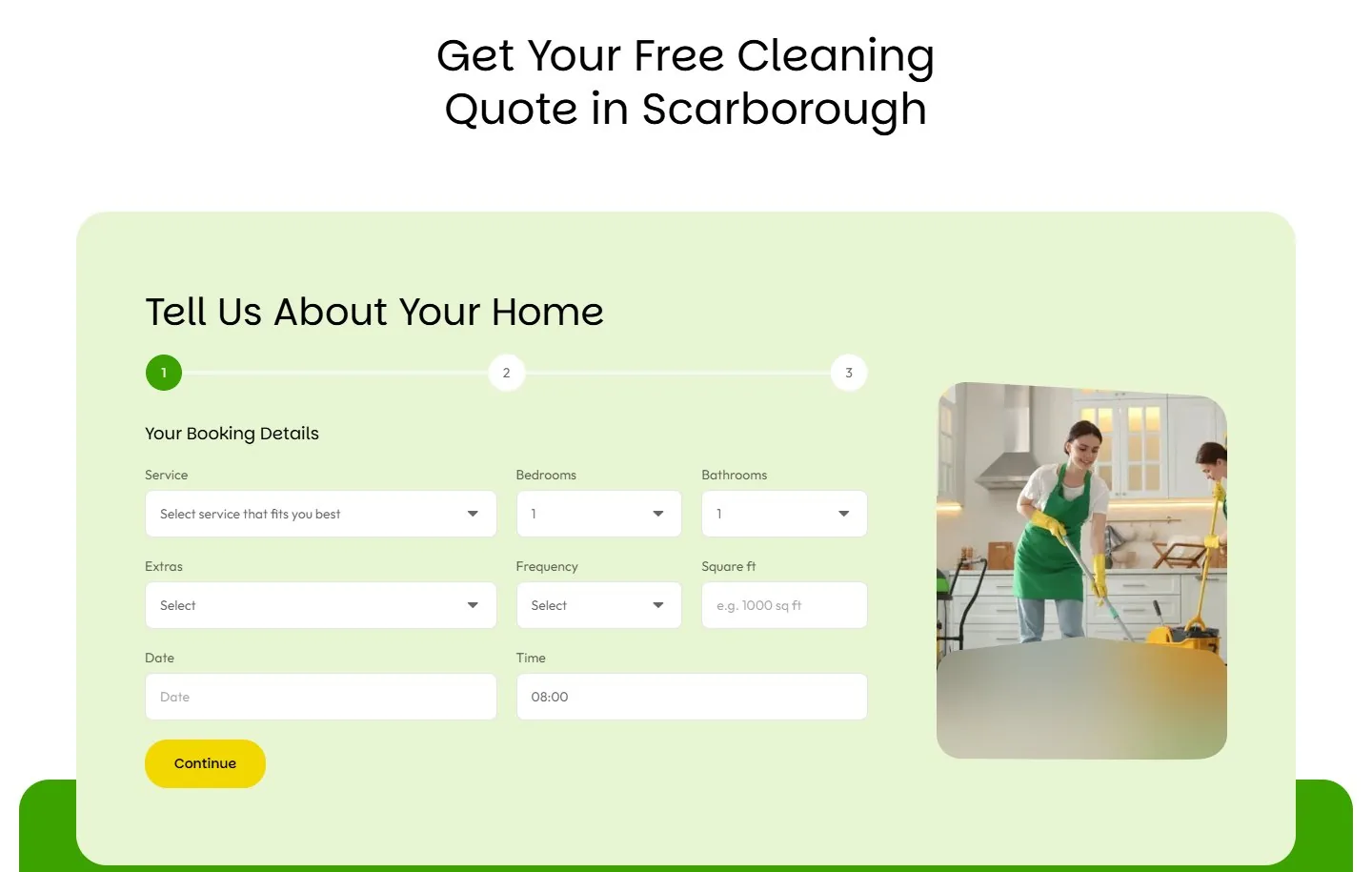
| Price-first, repeat service Cleaning, carpet | A price and an easy booking | Get a Free Quote | Price estimator or short quote form, then how it works | Recurring plans with the saving on each, and a guarantee |
These four layouts come from grouping the 25 reviewed sites by trade: 8 urgent repair, 9 big project, 5 dental and 3 cleaning. The cleaning group is the smallest, so treat that row as the least proven.
See what this looks like for your trade: plumber websites, contractor websites, dental websites, cleaning company websites and gym websites.
What goes on a service page?
A service page covers one service in one place, with one main keyword. If you offer seven services, you need seven of these pages. This is the part most local sites skip.
| Section | What it does | Why you need it |
|---|---|---|
| Headline: service + area | Names exactly what this page is about. | It is what Google matches to a search like “house cleaning Scarborough.” |
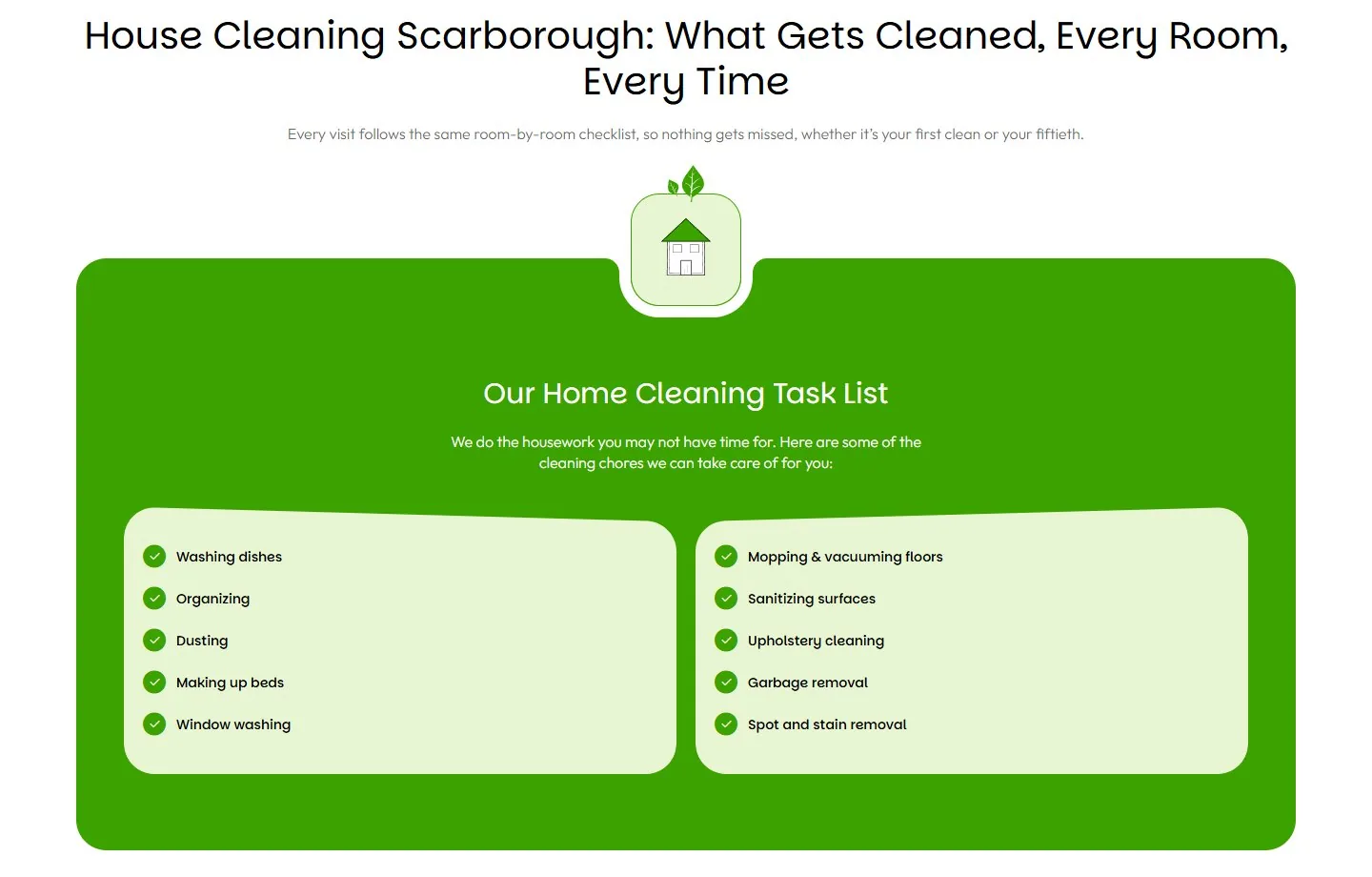
| Service overview | What it is, who it is for, what is included. | Stops the “does that include…?” phone call. |
| Problems solved | Speaks to why they are searching. | The visitor sees their own situation and keeps reading. |
| Process | 3 to 5 numbered steps. | Shows you have a system, which lowers the worry. |
| Pricing | A price, a range, or how quotes work. | Price is the first question. Hiding it sends people to a site that answers. |
| Examples | Photos or a short story of a real job. | One real example beats a page of claims. |
| Service FAQs | Questions specific to this one service. | Answers the last objections before the form. |
| Related services | Links to 3 to 5 other service pages. | Keeps the visitor on your site if this was not quite the right service. |
| Quote form | The same short form, at the bottom. | The page should end with something to do. |
Do you need a separate page for each city you serve?
Only if you can make each page truly its own. A location page has to say something that is only true of that place. If the only thing that changes between two pages is the city name, build neither.
Google calls copied city pages “doorway pages” and treats them as spam. Its spam policies describe them as pages made to rank for similar searches that all lead the visitor to the same place.
| Section | What makes it real |
|---|---|
| Headline: service + city | A different headline on every location page, not a template. |
| Local introduction | Mentions the kinds of homes, streets or buildings in that area. |
| Neighbourhoods served | The actual neighbourhood names inside the city. |
| Local landmarks | Real places a resident would recognize. |
| Map | The service area or the nearest office. |
| Local reviews | From customers in that city. Even one. |
| Links to services | Back to each service page offered there. |
| Name, address, phone | Exactly as written on the Google Business Profile. |
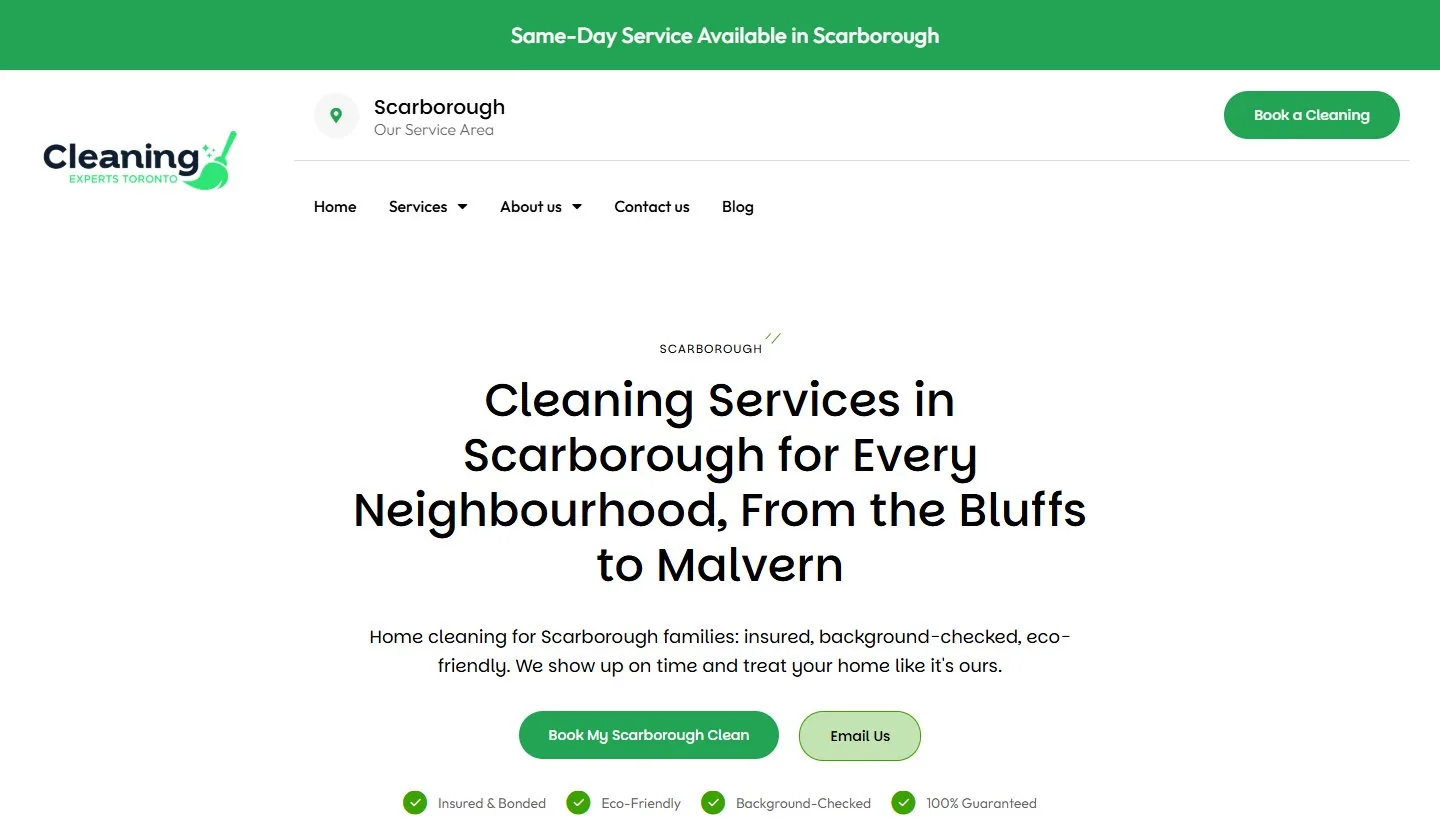
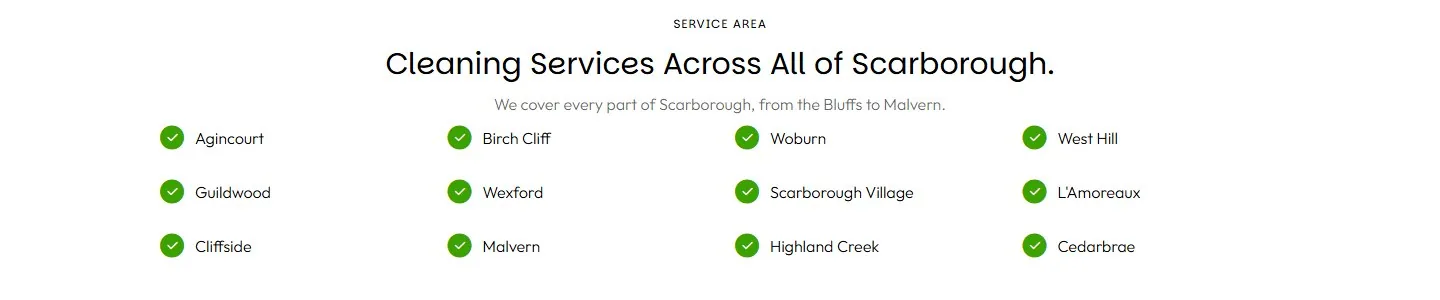
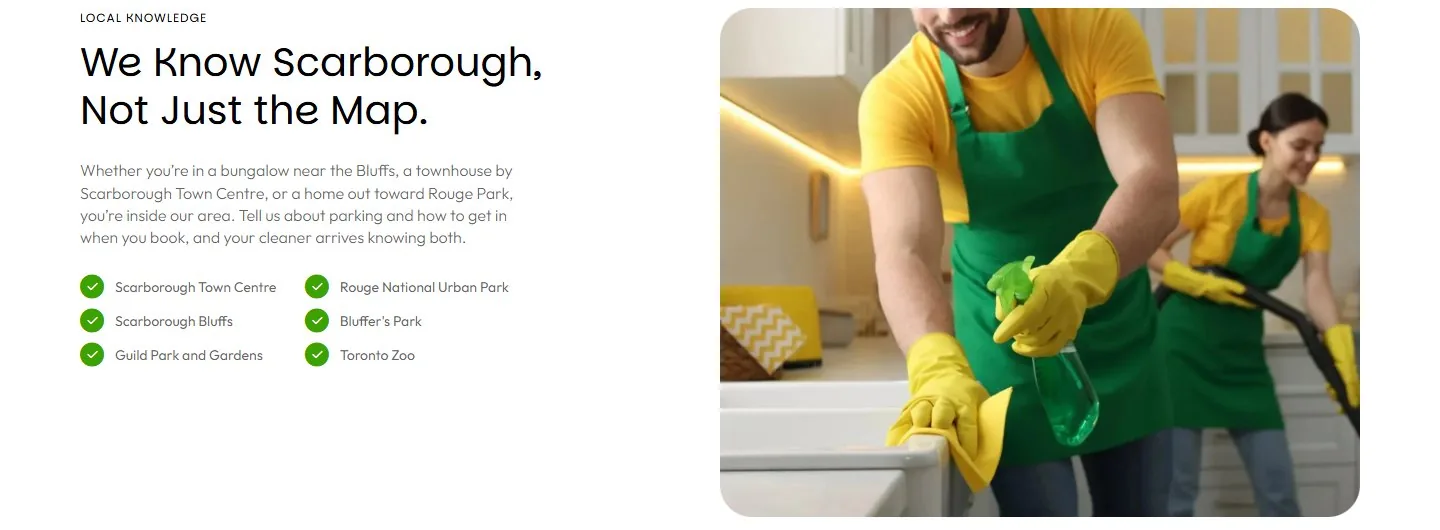
The cleaning example serves one area, so it has one location page. If it grows into a second city, that city gets a page only when there is something true to say about working there.
Which trust pages does a local business website need?
Trust pages answer one question: can I let these people into my home? A local buyer checks them right before they contact you, so they matter more than their traffic suggests.
| Page | What it does | What goes wrong |
|---|---|---|
| About | The real story. Who runs the business, why, and since when. | Corporate filler that could describe any company. |
| Team | Real names and real photos. | Stock photos, or an “Our Team” page with no people on it. |
| Licences and insurance | Licence numbers, WSIB, insurance, memberships. | Badges with no number a customer can look up. |
| Portfolio or case studies | Past jobs in more detail than the home page. | Photos with no location and no description. |
| Reviews | Reviews with names, towns and the source. | Anonymous quotes nobody can verify. |
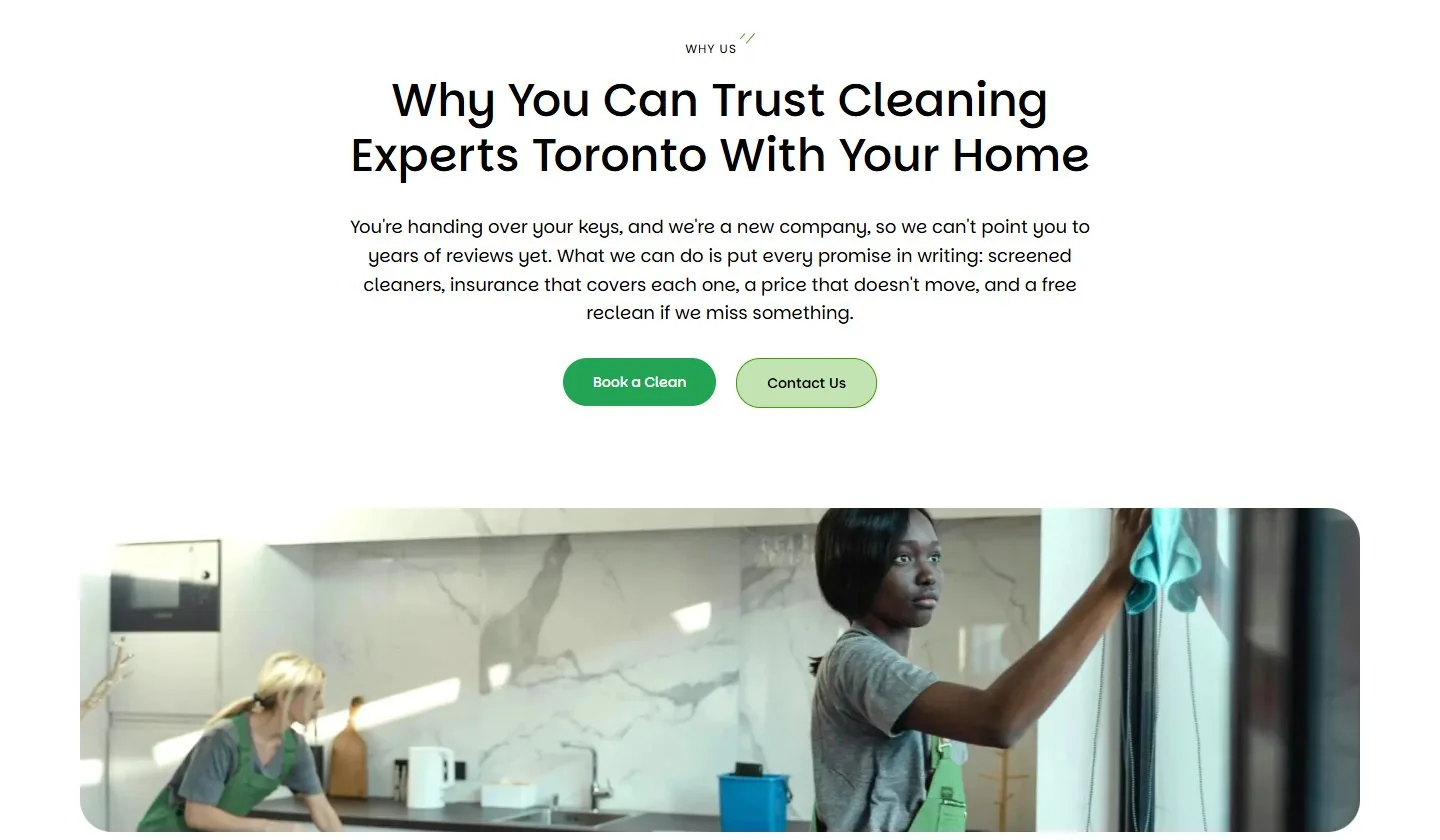
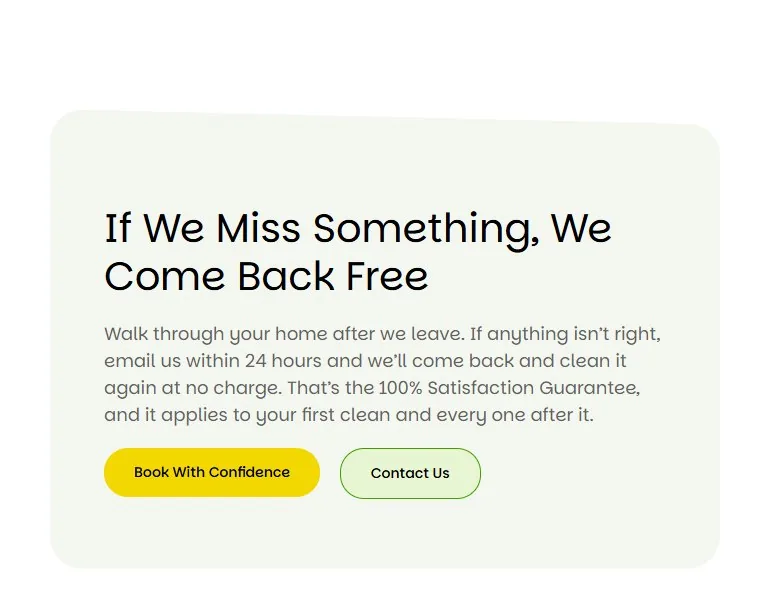
What are conversion pages, and which ones matter?
Conversion pages are where a visitor becomes a lead. There are only a few, and the form is the one that counts most.
| Page | What it does | Need it? |
|---|---|---|
| Contact or quote request | A short form, five fields or fewer, with a promise of when you reply. | Must have |
| Online booking | Lets a customer pick a time without a call. | Optional |
| Pricing | Prices or ranges for people who need a number before they talk to anyone. | If you can show prices |
| Service area page | One page listing everywhere you work, before any single location pages exist. | If you serve several areas |
| Thank you page | Confirms the form went through and says what happens next. It also lets you count leads. | Must have |

Does a local business website need a blog?
Not on day one. Get the home page, service pages and trust pages right first. A blog on top of a broken structure brings visitors to a site that cannot turn them into calls.
When you do add content, build your website content strategy around what customers ask right before they buy. “How much does a deep clean cost in Scarborough?” comes before “10 spring cleaning tips.” Every post should link to the service page it relates to.
- Buyer questions first: cost, timing, “best” and “near me” topics.
- Guides: longer pieces that answer a whole topic in one place.
- FAQ page: the most common questions across all your services, answered in full sentences.
In the review, 11 of 25 home pages showed a blog preview. It is low value there. Leave it off a lean home page.
What sits under the skin of every page?
Some parts of a site are not visible, but Google reads them on every page. There are five worth knowing by name.
| Part | Plain meaning | The rule |
|---|---|---|
| Page title and main heading | The title shows in the browser tab and in search results. The main heading is the big line at the top of the page. | Both name the service and the area. One main heading per page. |
| Name, address, phone | Your business details wherever they appear. | Written exactly the same on the site, the Google Business Profile and every directory. Google’s business guidelines ask for the name and address as they are used in the real world. |
| Business markup | A hidden label that tells search engines “this is a local business, here is its address, hours and area.” | Add it to the home page and location pages. Google documents the format in its local business structured data guide. |
| Internal links | Links from one of your pages to another. | Every service page is linked from the home page. Link text names the page it goes to. |
| Phone layout and speed | How the site looks and loads on a phone. | The phone number and the main button are visible without scrolling on a phone screen. |
Local business website structure: what most people miss
A good local business website structure is short on purpose. The clearest home pages in the review had 6 to 9 sections. One site ran about 27 and repeated its price estimator, its media logos and its buttons. The short pages were easier to act on.
Almost every home page in the review repeated something. One showed its quote form twice. One showed its booking form twice. One listed its services three times. The only thing worth repeating is the call to action.
Small errors cost trust too. One site gave two different founding years on the same page. Another showed three different phone numbers. A visitor who spots that starts wondering what else is wrong.
So the test for any section is simple. Does it do a job no other section already does?
Which part is broken? Match the symptom to the cause
Most website problems trace back to one missing or weak part of the local business website structure. Find your symptom in the left column.
| What you are seeing | The part to check | The usual cause |
|---|---|---|
| Visitors, but no calls or forms | Hero and call to action | No clear button, or the phone number is hidden below the fold. |
| You do not show up for a specific service | Service pages | All services share one page. Found on 17 of 18 audited sites. |
| You do not show up in the next town over | Location pages | No page for that area. Found on 18 of 18 audited sites. |
| Great Google reviews, but site visitors do not convert | Reviews section | The reviews never made it onto the website. Found on 16 of 18. |
| Calls from people outside your area or budget | Service areas and pricing | The site never says where you work or what a job starts at. |
| The same questions on every call | FAQ | No FAQ, or one-word answers. |
| Forms come in but you cannot count them | Thank you page | The form shows a message instead of loading a page you can track. |
Not sure which row you are in? The free Website Grader gives your site a score, and the website audit checklist walks through them by hand.
Frequently asked questions
How many pages does a local business website need?
Count them this way: a home page, one page per service, one page per real service area, an about page, a reviews page, a contact or quote page and a thank you page. For the cleaning company in this guide, with seven services and one area, that comes to about 20 pages.
What is the most important page on a local business website?
The service pages. The home page gets the most visits, but service pages are what show up when someone searches for a specific job, and that visitor is the closest to hiring.
Should every service have its own page?
Yes. One page can only be clearly about one thing. When seven services share a page, Google has no single page to show for any of them. In an audit of 18 Ontario local businesses, 17 had this problem.
What should go in the hero section of a local business website?
A headline that names the service and the area, one line with your main promise, one or two buttons, and a short trust line such as your Google rating or licence. Add a short form or a real photo beside it.
Can I use the same page for several cities and just change the city name?
No. Google treats near-identical city pages as doorway pages, which is against its spam policies. Build a location page only when it has its own local details, and list other areas as plain text.
What do I put in the reviews section if I have no reviews yet?
Say so, and invite the first one. Put your promises in writing instead: insurance, a fixed price, a guarantee. Never fill the space with invented testimonials.
Keep reading: website design for local business, what an SEO-optimized website is, what an SEO-ready website includes, local SEO for small business and how to choose a WordPress web design company in Toronto.
The short version
A local business website structure is five groups of pages doing five jobs: the home page introduces, service pages get found, location pages prove you are local, trust pages remove doubt, and conversion pages collect the lead. Give every page one job and every section one job. Then check that each part links to the next.
Which part of your site is doing no job at all?
Want this structure without building it yourself?
A WordPress website with every part in this guide, built around your services and your area, is a flat $2,000. One payment, no monthly retainer.
See what the $2,000 website includesGrade your current site freeHow this guide was put together. The Ant Firm documented the home page of 25 local service business websites across seven trades (dental, plumbing, roofing, renovation, cleaning, HVAC and waterproofing) and counted which sections appeared on each. All 25 serve customers in Ontario, most of them in the GTA and Durham Region, and a few also operate in other provinces. The separate audit numbers come from 18 Ontario dental clinics and law firms. The cleaning example, Cleaning Experts Toronto, is a website built by The Ant Firm. Screenshots were taken in October 2026.