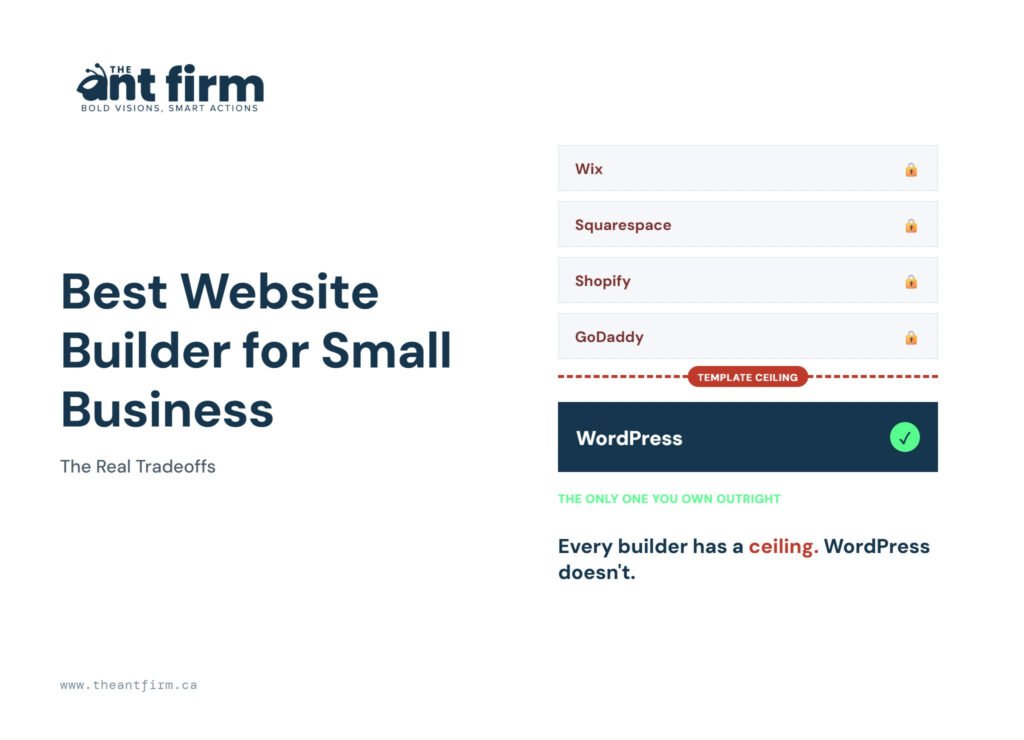
TL;DR: There’s no single best website builder for small business. Wix and Squarespace suit a simple brochure site, Shopify wins for online stores, and none of them scale cleanly once a business needs service-area pages, real blog volume, or schema control. Locked templates and no real sitemap access create that ceiling, not weaker SEO in the abstract. The tell you’re close to it: how many services or locations you cover, and how many posts you plan to publish each month.
The best website builder for small business may have been the right call three years ago, and now your renewal bill has nearly doubled from what you paid on day one. Your site looked perfect at launch: a few pages, a clean design, everything working the way it should. Then the business grew. You added services, locations, blog posts, and tools, and the builder that once felt perfect started getting in the way.
Finding the right website building platform for a growing small business means looking past the design and the starting price. Wix, Squarespace, Shopify, and WordPress each have real strengths and real limits. Here’s what each one actually offers, where it tends to break down, and how well it holds up as the business keeps growing. If you’ve been asking “how do I make a website for my business?”, you can make a business website on any of these in a weekend.
Top Website Builders for Small Business, Side by Side
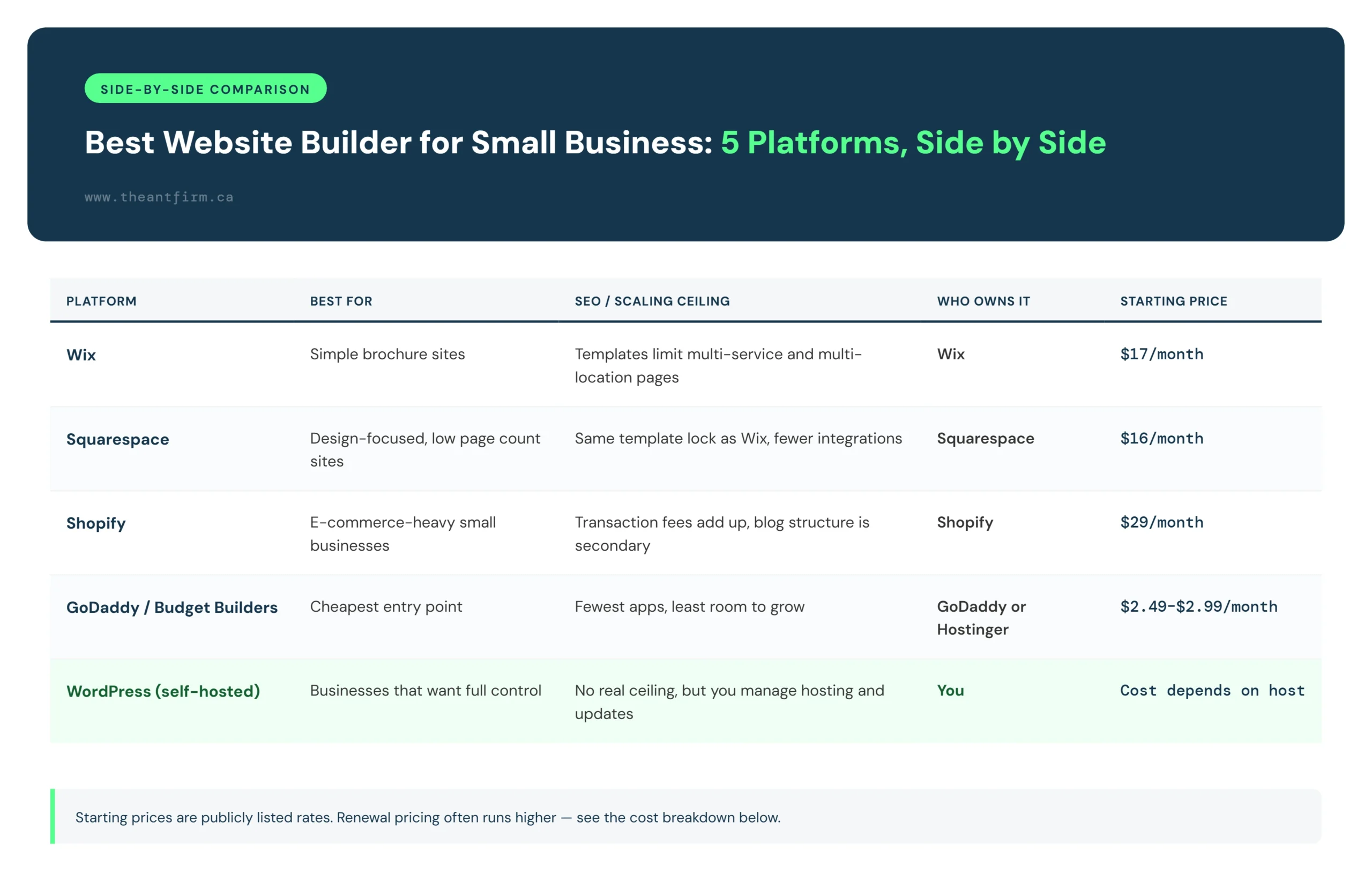
| Platform | Best For | SEO / Scaling Ceiling | Who Owns It | Starting Price |
|---|---|---|---|---|
| Wix | Simple brochure sites | Templates limit multi-service and multi-location pages | Wix | $17/month |
| Squarespace | Design-focused, low page count sites | Same template lock as Wix, fewer integrations | Squarespace | $16/month |
| Shopify | E-commerce-heavy small businesses | Transaction fees add up, blog structure is secondary | Shopify | $29/month |
| GoDaddy / Budget Builders | Cheapest entry point | Fewest apps, least room to grow | GoDaddy or Hostinger | $2.49 to $2.99/month |
| WordPress (self-hosted) | Businesses that want full control | No real ceiling, but you manage hosting and updates | You | Cost depends on host |
This table compares the top website builders for small businesses across different price ranges, but price isn’t the only thing worth weighing. Even an expensive platform can feel limiting without real control over your content and structure. Over a few years, flexibility and ownership tend to matter more than the monthly price. Any small business web builder here will get you online, so the best web builder is the one whose ceiling you won’t hit.
Wix
Wix is a drag-and-drop builder best suited for a small business that needs one clean site with a handful of pages. It works well for a local shop, a single-service consultant, or a new business that just needs a professional presence fast. For an owner in year one, Wix is a fair starting point.
The real ceiling shows up as the business grows. Wix templates are built around a fixed structure. Add a sixth service or a third location and you usually end up cramming everything onto one page instead of giving each service its own page that can rank on its own. That’s a structure problem, not a missing feature, and it’s what pushes most owners to look elsewhere.
Wix still deserves credit here. It’s a solid pick for a business that’s just getting started and doesn’t yet know how much content it’ll need down the road.
Squarespace
Squarespace suits design-conscious businesses with a smaller number of pages. Studios, consultants, and wellness businesses often pick it because the templates look polished with almost no design work required. Weighed against the other options here, Squarespace holds up well in that narrow category.
The ceiling is close to what Wix runs into. Templates lock you into a set layout, and once the business needs more structure than the template allows, it hits a wall. Squarespace also connects to fewer outside tools than some competitors, so anything beyond a basic brochure site with simple booking tends to need workarounds.
Shopify
Shopify makes sense for one specific type of small business: one that sells physical or digital products online. If that’s the business, Shopify handles inventory, shipping, and checkout better than a general-purpose builder.
If the business runs on services and content instead of products, Shopify is a weak pick. The page builder treats product pages as the priority, and blog structure sits second. Transaction fees also add up as sales volume grows, which changes the real monthly cost compared to the advertised starting price.
GoDaddy and Budget Builders
GoDaddy, Hostinger, and similar budget builders offer the cheapest way to get a small business online. If the budget is tight and the needs are simple, this tier does the job for a while, and it’s a fair pick for a business on a very small budget.
The tradeoff is real. These builders come with the fewest apps and integrations on this list, and the least room to grow. Hostinger’s own reviewers note limited ability to support growing businesses, which lines up with what most owners run into as traffic and content needs increase.
WordPress, and Why WordPress.com Isn’t the Same as a Custom Build
This is where website builder comparisons often get tricky. WordPress.com and a self-hosted WordPress site are two different things, even though they share a name.
WordPress.com puts limits on plugins and hosting control, especially on its lower plans. Once a site grows beyond the basics, it can feel just as restricted as Wix or Squarespace.
A self-hosted WordPress site gives far more control. You manage the code, choose the hosting, and decide which plugins to use and what the site should do. That control matters as the business grows: it can build a proper sitemap instead of working around template page limits, and add schema markup to each service and location instead of relying on a builder’s basic SEO settings. It can also publish as much content as needed without running into post limits or formatting issues. You simply don’t get that same control with a rented platform, even at a high monthly fee.
The tradeoff is that hosting, security updates, and backups become your responsibility, whether handled in-house or by the agency or freelancer who built the site. For a business that has outgrown template builders and needs more control over its structure, that tradeoff usually makes sense. If you’re comparing Wix, Squarespace, and WordPress specifically for local SEO, a deeper look at Wix vs Squarespace vs WordPress for local SEO covers that comparison in more detail.
Whether that falls on a freelancer or an agency changes what you’re signing up for. We compare the two in freelancer vs web design agency.
What Actually Breaks As a Small Business Grows
A website builder can look perfect at launch. This isn’t about picking the wrong platform when a business is just starting out, Wix and Squarespace are fine choices in year one. The problems tend to show up two or three years later, once the business has grown and the platform can’t keep up. Here’s what we see again and again helping clients move off these platforms.
Medspas are a clear example. They often start on Wix or Squarespace with three or four treatment pages. A few years later, they’ve added ten more services and try to squeeze everything into a template that was never built for that many pages. The result is either one crowded page trying to rank for every service, or a confusing set of pages the template’s navigation can’t organize.
Cleaning companies run into a similar problem for a different reason. When they expand into a second or third city, they need a separate page for each service area with real local content. Template builders make that process manual enough that many owners just skip it.
Contractors usually hit it through content. They want to add project photos and case studies regularly, but many builders limit how much they can publish or make editing slow. After a few months, posting often stops.
In each case, the problem isn’t a missing feature. It’s rigid templates that can’t handle more service pages, limited control over sitemap and schema, and content tools built for occasional updates, not a regular publishing schedule. If you’re not sure where you stand, run your current site through this checklist.
Signs You’ve Outgrown Your Current Platform
A few patterns tend to show up right before a business is ready to move off a builder:
Your Website Gets Harder to Organize
A new business may only need a few pages. But as you add services, locations, and team members, things get messy fast. Some builders make it hard to organize all these pages, so information ends up crammed onto a single page instead of split out properly.
Adding Service Pages Gets Tricky
As a business adds services, a separate page for each one helps customers find the right information and gives each service its own shot at ranking. Builders that rely on fixed layouts make it harder to create and manage new pages as that list grows.
Managing Multiple Locations Gets Harder
One location is easy to manage. Five or six are a different story. Each area usually needs its own page with real local information, and a builder without enough flexibility makes that process painful.
Publishing Content Takes Longer
As a business grows, it tends to start publishing blog posts, guides, case studies, and project updates. Some builders handle occasional posts fine but slow down noticeably once content becomes a regular habit. Editing, formatting, and organizing posts start eating more time than they should.
You Need More SEO Control
Basic SEO settings are enough for a small site. As it grows, control over redirects, metadata, schema, and page structure starts to matter, and a builder that limits those settings makes every change harder than it needs to be.
You Need More Integrations
A growing business usually leans on tools for bookings, email, payments, customer management, and analytics. Limited integrations mean staff end up copying information between systems by hand instead of the tools talking to each other.
You’ve Outgrown the Platform
A builder can work perfectly well for a small business. The problem starts once the business’s needs grow past what the platform can handle. Running into the same limits again and again is usually the clearest sign it’s time to move somewhere that gives more room to grow.
Common Questions
Is Wix or Squarespace better for a small business?
Squarespace is the better pick for design-conscious businesses with a smaller number of pages, and Wix is the better pick for businesses that want more built-in apps and features out of the box. Neither has a meaningful SEO advantage over the other. The real gap isn’t between Wix and Squarespace, it’s between builders as a category and a self-hosted platform.
How much does a small business website builder cost after the first year?
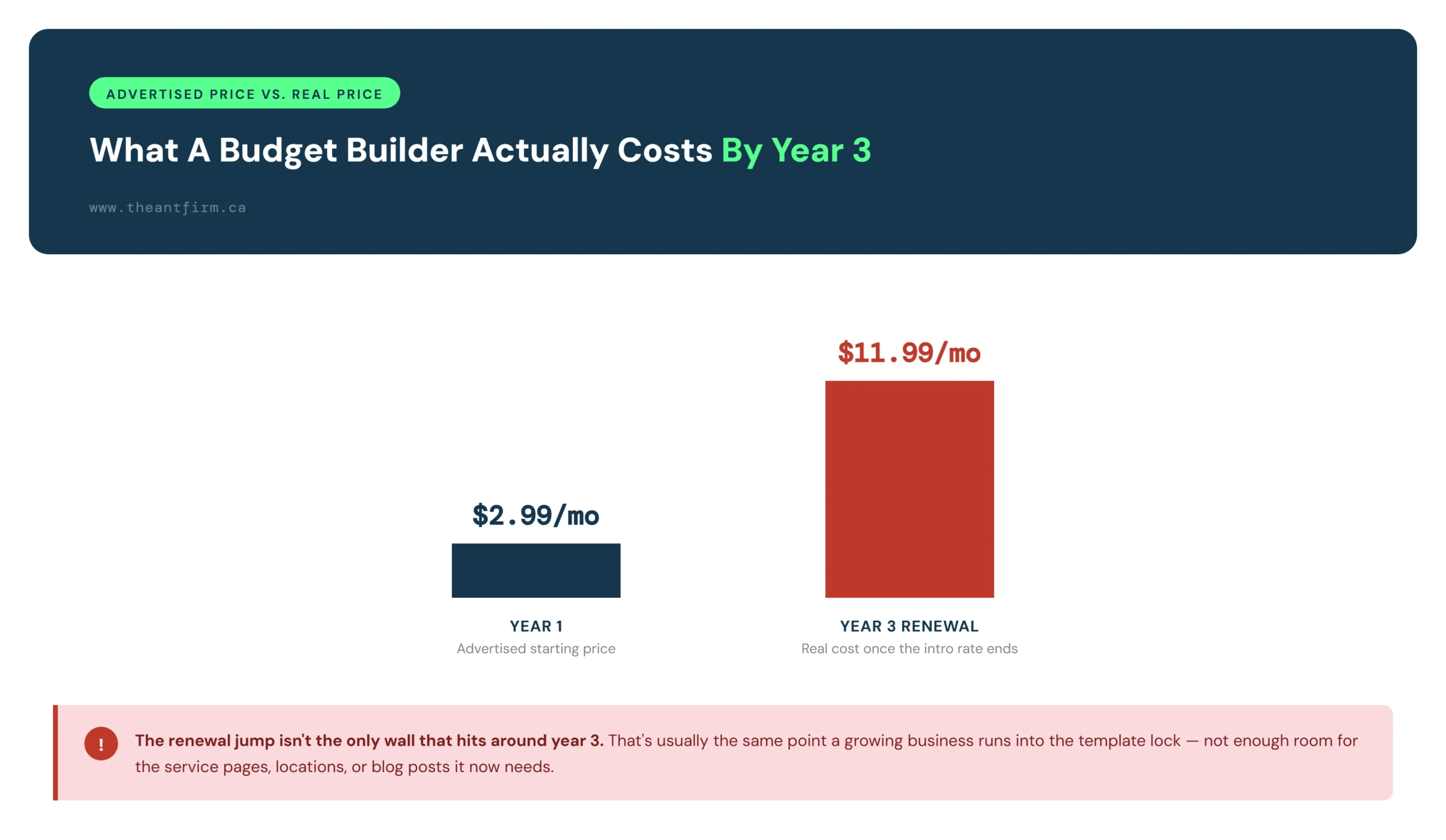
Check the renewal price before committing to a plan. Hostinger’s own publicly listed pricing jumps from $2.99 to $11.99 a month once the intro rate ends, and that pattern is common across budget builders. E-commerce plans typically add a 2 to 3 percent transaction fee on top, plus paid apps or add-ons the advertised starting price doesn’t include. Look at the full year-two cost, not just what’s listed at signup.
Can I switch from a website builder to WordPress later?
Yes. Many businesses move to WordPress as their needs grow. Content and images usually transfer, but the design and layout get rebuilt from scratch rather than imported cleanly. It’s better to plan that move before the business is under pressure to make it, not as a last resort.
There’s no single best website builder for small business, just the one that fits what’s being sold and how fast pages are being added. Wix and Squarespace work fine for a small, simple site. Shopify makes sense once products are the business. And the point where any of them stops working is usually obvious once it’s hit: services get crammed onto one page, or the location pages that are actually needed keep getting put off.
If that point has already arrived, The Ant Firm’s Toronto web design service gives full ownership instead of another rented template, built as a custom WordPress site from the ground up. Here’s what a custom build actually costs, and what’s included in the build.